Organise your lesson schedule, connect your team and keep track of your gear and repairs in one place.
Your school is also part of the Kite Sessions community, bringing students, instructors and riders together around the spots and the sessions.
The account is personal and comes first: it is the one that administers the school. Download the app, create your account and register the school there. The management happens here in the browser, with the same login.
People who teach don't only need to show up in search: they need to know who teaches which lesson, with which kite, and whether that kite is in the repair shop.
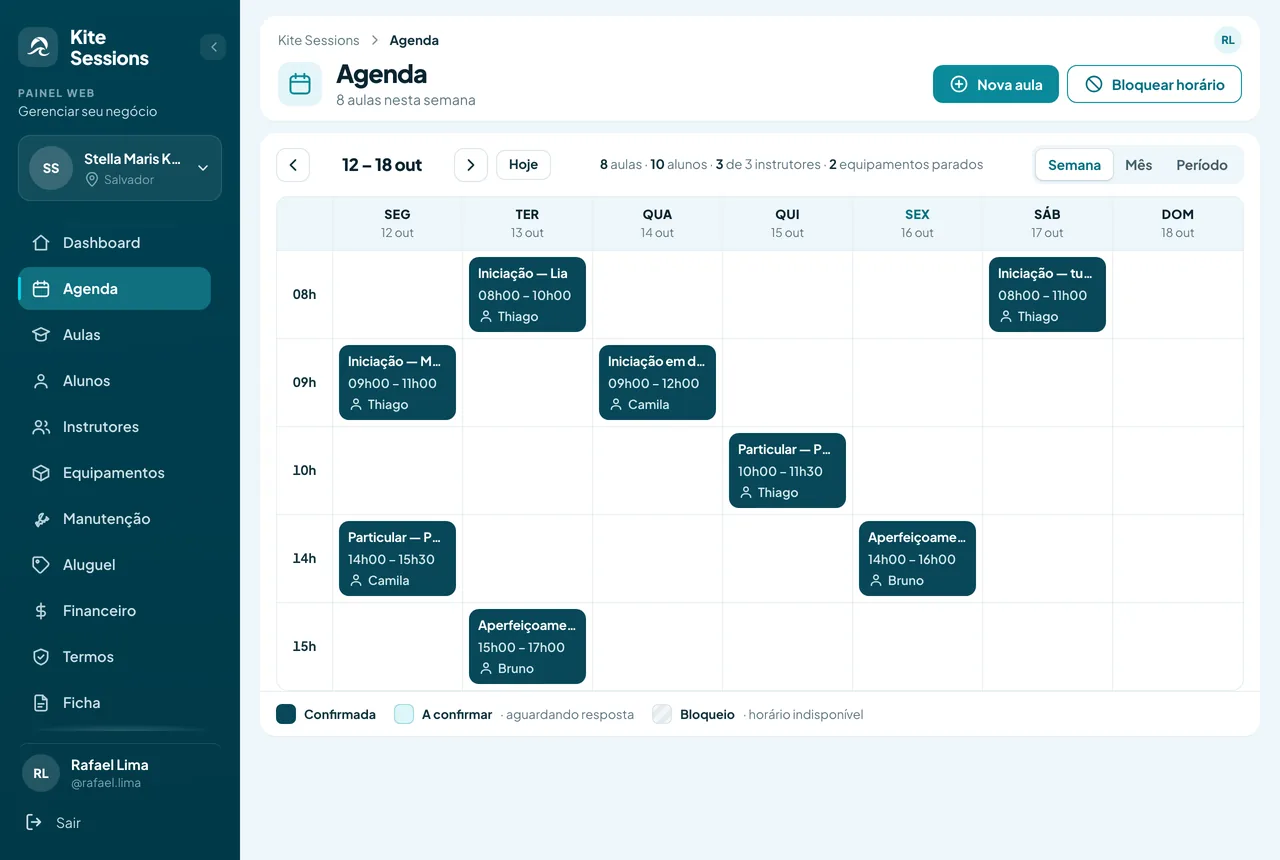
Who will teach each lesson, for which students, at which spot and time. The server checks for time clashes when saving: an instructor is never booked twice in the same slot.
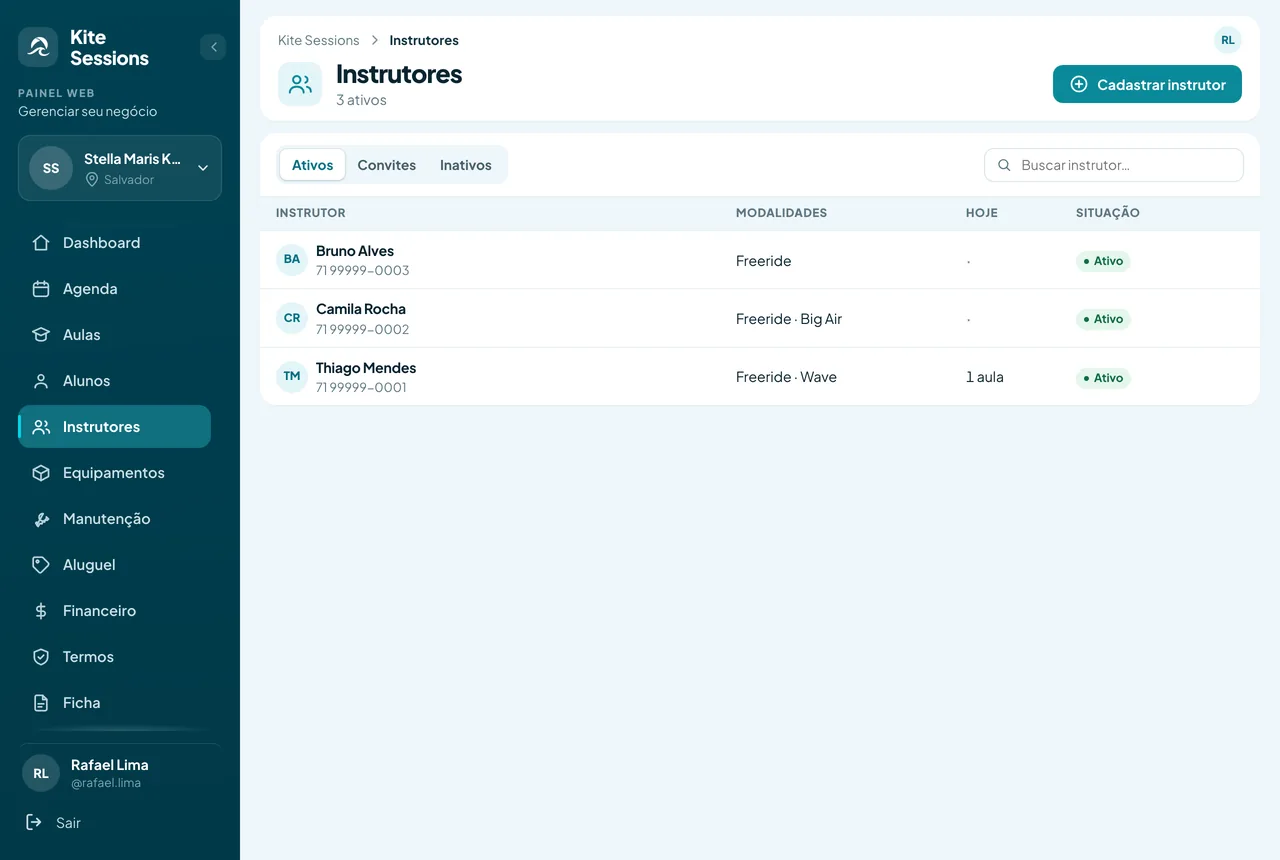
Disciplines, availability per weekday and email invitations. The school decides whether the team appears on the public listing; an instructor's email and phone never do.
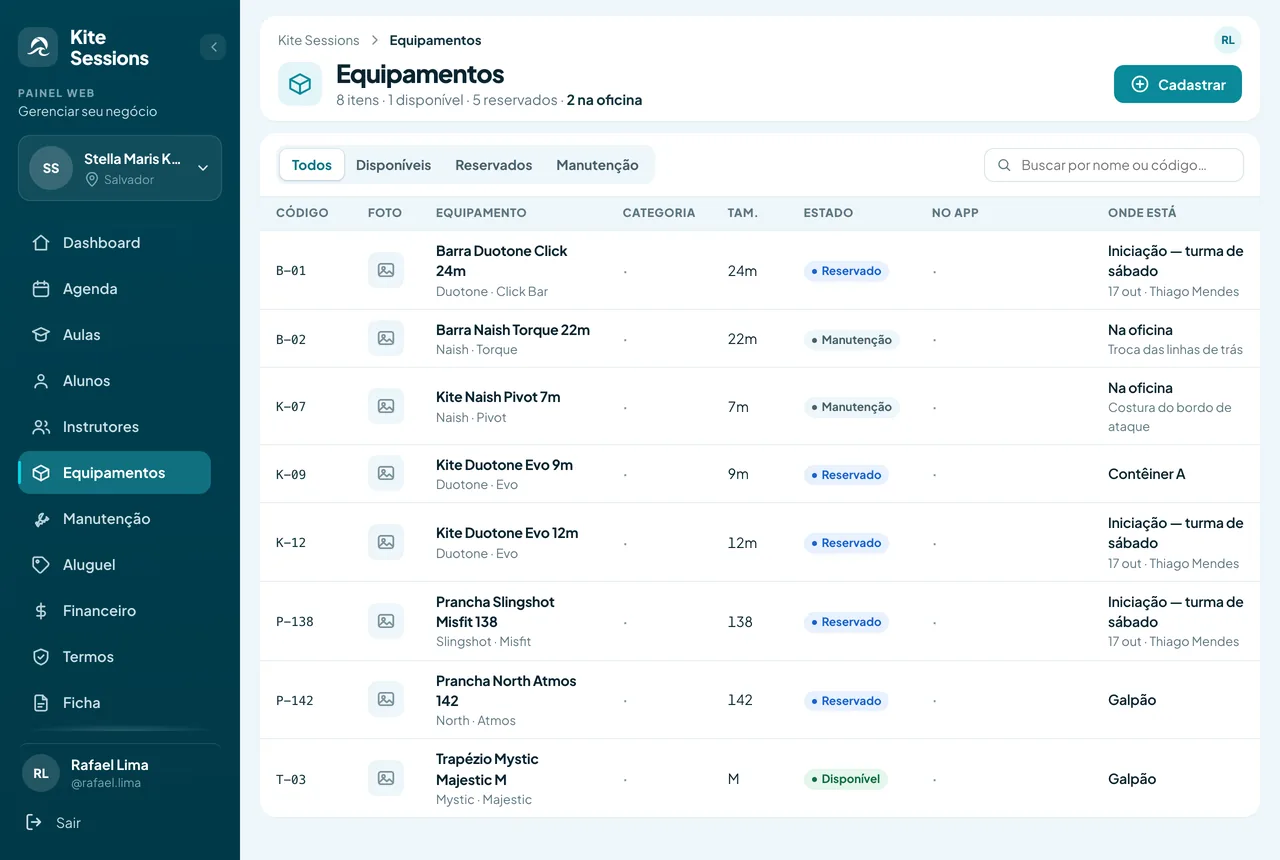
Every kite, board and bar with code, size, condition and photo. Whatever is reserved for a lesson shows up as reserved, along with the lesson holding it.
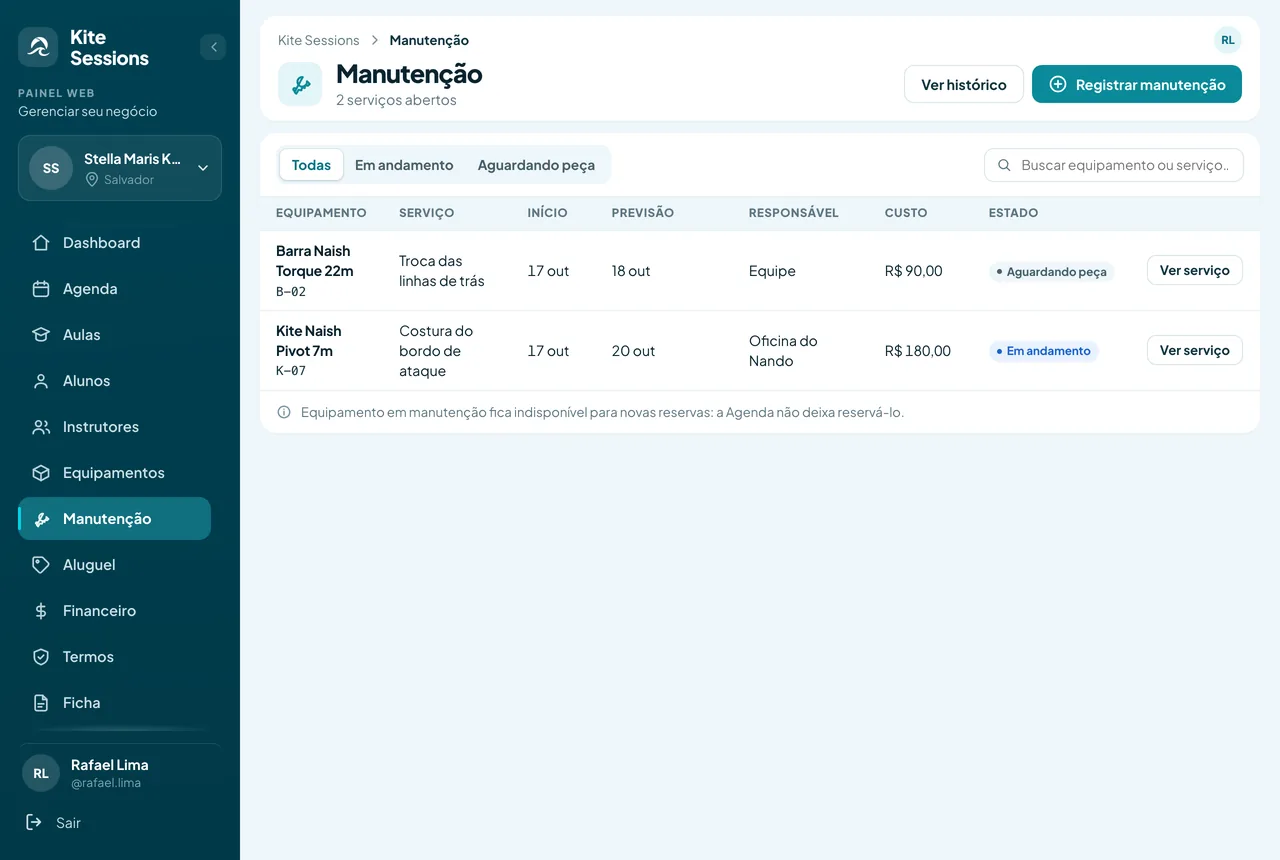
Repairs with due date, owner and service photos. The item leaves the available inventory while it is in the shop and comes back on its own when the service closes.
Name, description, photos, services, contact and the spots the school covers. Editable by whoever administers it, without going through moderation for every phone number fix.
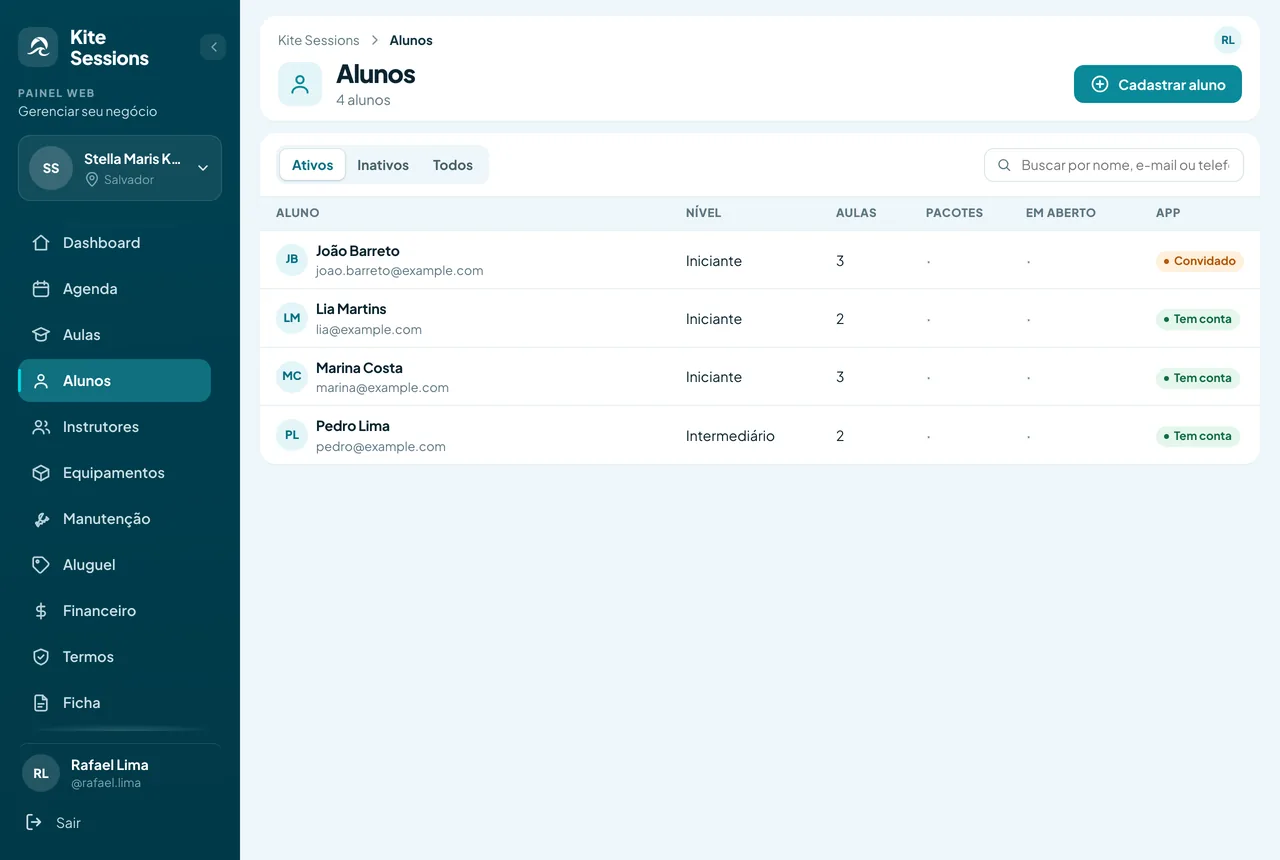
A student record with lesson history and a liability waiver signed by link, plus a simple cash book: what came in, what is still owed and what the school has to pay.
Who will teach each lesson, for which students, at which spot and time. A new lesson drops straight onto the week's grid, and the server refuses to book the same instructor in two places at once.
Also by month and by period, for the conversation of whoever plans the season.
Each instructor with the disciplines they teach and their availability per weekday. The invitation goes by email and can be resent; whoever accepts signs in with their own account.
Code, size, condition and storage place. Whatever is reserved shows the lesson holding it, and whatever is in the shop appears as unavailable before anyone counts on it.
Service, start, estimate, owner and cost. While the repair is open, the schedule will not let the item be reserved; when it closes, the item returns to the inventory on its own.
The system is free because the school and the community feed each other. Whoever learns to ride wants to keep riding, and for that they need people, a spot and a scheduled meetup. That is what Kite Sessions is made of.
We do not promise new students, reach or revenue. What exists is the place where people who ride already look for a school.
The student record belongs to the school: level, lesson history and signed waiver. The app column says who already has an account and who has only been invited, and it is through it that the next lesson shows up on the phone of whoever joined.
It is the same account on both sides. Confirm your email: the web panel only opens after that, and it is that address that receives the school's notifications.
Name, type, address, contact, services and the spots you cover. One account can administer more than one business.
The registration goes through review before appearing in the app. You do not sit waiting: open the panel in the browser and carry on filling in schedule, team and gear right away.
Instructors and students get an email invitation and sign in with their own accounts. Inviting is optional: being free does not depend on it.
Yes. Registering the school and using the schedule, the team, the gear, the maintenance, the students and the finances costs nothing today, and we do not ask for a card to start. We do not promise it will be free forever: if some part ever becomes paid, we will say so in advance, in the app and by email.
Lesson schedule with instructor, students, spot and gear; team with disciplines and availability; gear inventory with per-lesson reservation; maintenance with due date and owner; student records with liability waiver; a simple cash book; and the school's public listing in the app.
No. Kite Sessions Plus is a personal subscription, for people who ride, and it gives a verified profile, private conversations, exclusive sessions, more connections and the kite trip planner. Nothing in the school management depends on it.
Through the Kite Sessions app. First the personal account, with a confirmed email: that is the one that will administer the school. Then, still in the app, you register the business with name, type, address, contact and services. The registration goes into review and you can already open the panel at minhaconta.kitesession.app and carry on filling it in while you wait.
Yes. The instructor is registered with disciplines and availability and receives an email invitation, which can be resent. Students too: their record belongs to the school, and the email invitation links that record to their account in the app when they join.
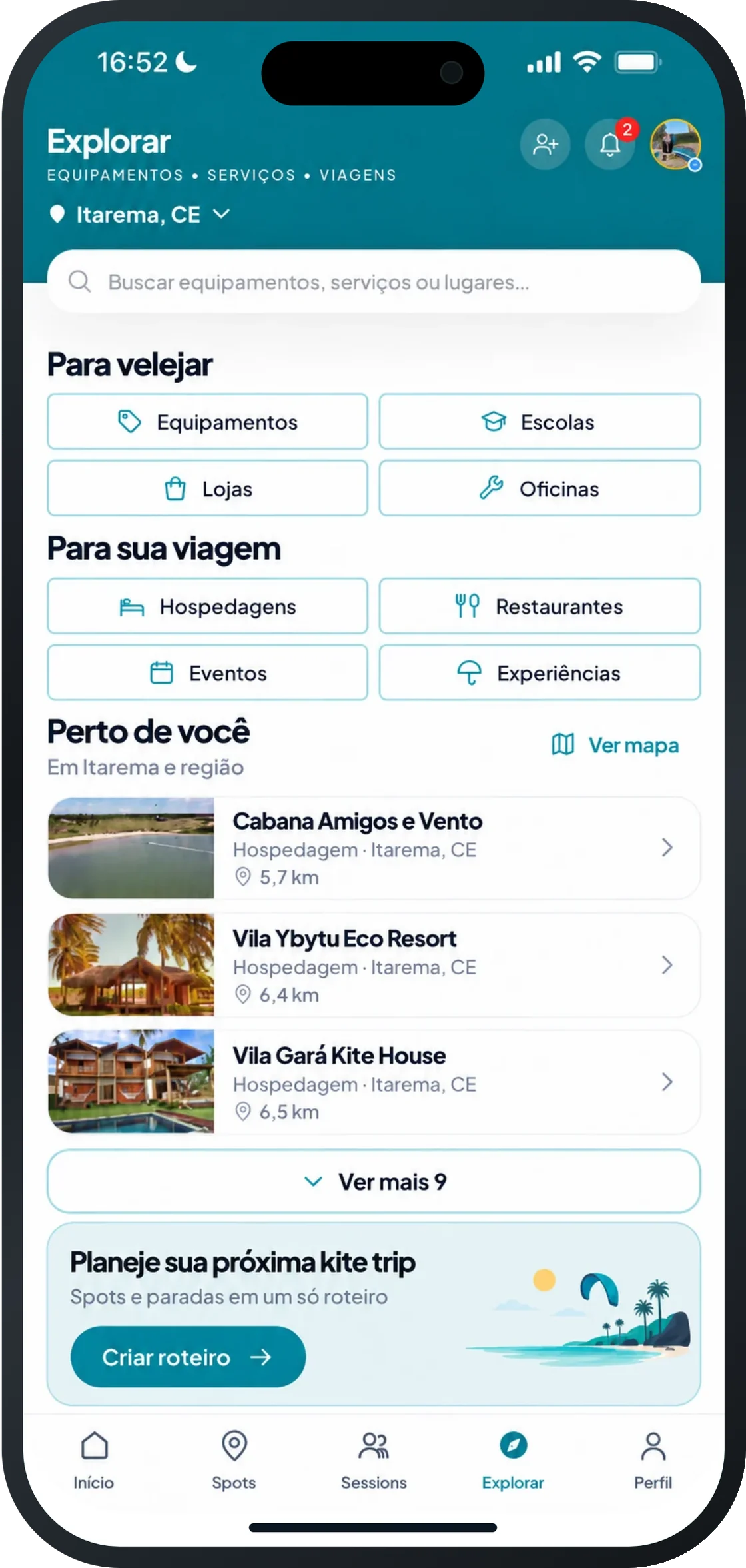
Yes, once approved. The listing appears in the Explore tab, on the map and at the spots the school covers, with description, photos, services, contact and, if you want, the team. An instructor's email and phone never appear.
It does. It is a registration review: we check whether the place exists, whether the data matches and whether the listing sits in the right spot on the map. It is not a technical certification: we do not assess teaching method, instructor licence or insurance, and approval is not a quality seal.
Registration is through the app and takes a few minutes: create your account, register the school and that is it. The management is free and opens in the browser, with the same login, and your school's listing enters the app after the review.